
Ever wanted to login to a website without using a password… here comes your chance.
Table of content:
——————
– What is SQL injection?
— What exactly is SQL?
— The abilites SQL gives you.
— Then, what do we inject?
– How does it all work?
– So, what’s the problem here?
– final words.
—-
A long time ago was the first time I heard about SQL injection, But the problem was: I couldn’t find enough useful resources back then, therefore, here I come to light your way through this journey.
What is SQL injection?
That question isn’t exactly the right question, The right question you should be asking would be:
What exactly is SQL?
Three things you could’ve thought of when you had read this heading title:
- Oh, what is that SQL thing? Seems interesting.
- Nope, not interested in knowing that, please go directly to the injecting part.
- You will tell ME what is SQL??! DO YOU KNOW WHO I AM, I’M MORE EXPEREINCED THAN YOU IN ALL FIELDS YOU CAN IMAGINE, COMPANED, I’VE EVEN KILLED MINECRAFT SHEEPS AND ATE THEIR WOOL!
Either ways, please hear me out because: fundamentals matter.
SQL, Stands for (Structured Query Language), it’s name mainly indicates the importance of queries in the language (the commands we use to control the database are called queries).
However, Using SQL you can create, modify and manipulate the structure of databases and tables(a table is something created inside a database). You can also use SQL to store and retrieve data from databases and tables.
The abilites SQL gives you.
Learning SQL does come with some major benefits, e.g.: It gives you the magic ability to understand SQL memes.
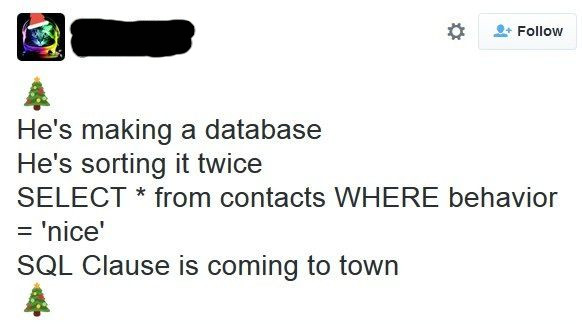
Along with the not-as-important ability to handle data inside databases.
Then, what do we inject?
When there’s a database, an input field that interacts with that database with low security (An old login page for example), and a know-how-to-sql-inject person, we can make the input run an SQL query instead of it’s original purpose of existance (e.g.: verifing a password) and do something that wasn’t intended to be done.
Didn’t Understand yet? Don’t worry I’ll give you an example.
How does it all work?
Let’s take that login page as an example:
<!DOCTYPE html>
<html>
<head>
	<meta charset="utf-8">
	<title>SQLI PART 1 | Undefined Knowledge</title>
	<style>
		body{
			text-align: center;
			padding: 15% 30% 15% 30%;
			background-color: #d6d6d6;
		}
		.login{
			border: black 2px solid;
			padding: 30px 5px 30px 5px;
			background-color: #fefefe;
		}
		form input{
			padding: 5px;
		}
	</style>
</head>
<body>
 <div class="login">
 <h1>Login</h1>
 <form action="login1.php" method="post">
  <input type="email" name="email" required="required" placeholder="Username" /><br><br>
  <input type="password" name="password" placeholder="Password" /><br><br>
  <input type="submit" value="Login"/>
 </form>
 </div>
</body>
</html>

(I know <br> is a bad alternative for css… but it saves time, and what do we have but time.)
And that code (when ran) produces a page that looks like this:

Just a normal simple login page, what could go wrong?!… A ton of things can go wrong actually.
The code takes the input and sends it as a POST request (more on that later) to another file that verifies the data (login1.php for this example.), But
let’s see what is inside login1.php
<?php require_once('config.php') ?>
<!DOCTYPE html>
<html>
<head>
  <meta charset="utf-8">
  <title>Login 1</title>
  <style>
    body{
      text-align: center;
      background-color: #d6d6d6;
    }
  </style>
</head>
<body>
<?php
if (!empty($_POST['username']) && !empty($_POST['password']))
{
  $user = $_POST['username'];
  $password = $_POST['password'];
    $sql_query = "SELECT * FROM users WHERE username = '$user' AND password = '$password'";
    $result = mysqli_query($conn,$sql_query);
    $count = mysqli_num_rows($result);

    if($count == 2) {
       $color = "green";
       $status = "Granted";
    }
    else {
       $color = "red";
       $status = "Denied";
    }
  echo "<h2>Username: $user</h2>\n<h2>Password: $password</h2>\n<h1 style=\"color: $color;\">Access $status</h1>";
}
else {
echo "<h1>Please enter valid data</h1>\n";
}
?>
</body>
</html>
(for documentation purposes: this took 30 minutes or more to code.)
So, what’s the problem here?
The problem is: the SQL statement takes the username and the password directly from the request without first checking them!
To demonstrate this more clearly: say that we enter the username admin and the password admin, therefore the statement becomes:
SELECT * FROM users WHERE username = 'admin' AND password = 'admin'
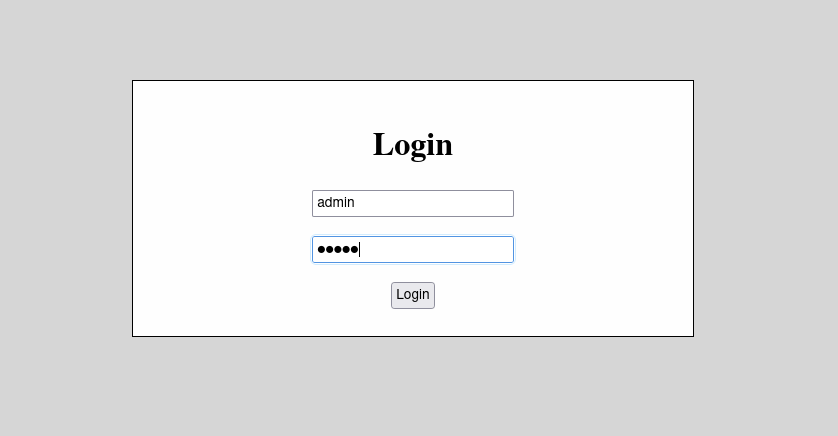
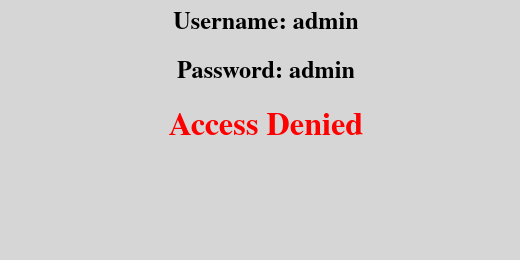
But say we entered a single quote (‘), therefore statement becomes:
SELECT * FROM users WHERE username = ''' AND password = '''
You see this: ” username = ”’ and password = ”’ “, This creates an error. An error that we can take advantage of…
Get ready for this…: If we enter admin’ OR ‘1’=’1 the statement would be:
SELECT * FROM users WHERE username = 'admin' OR '1'='1' AND password = 'admin' OR '1'='1'
Let’s explain what just happened:
- We closed the statement with a single quote (‘).
- We entered OR, which means that if one condition isn’t true you can use the other one and it would be enough.!
- and ‘1’=’1′ is ALWAYS true
- We removed the quote as it’s closed automatically in the original statement and as not to create an error.
This should actually work, Right?
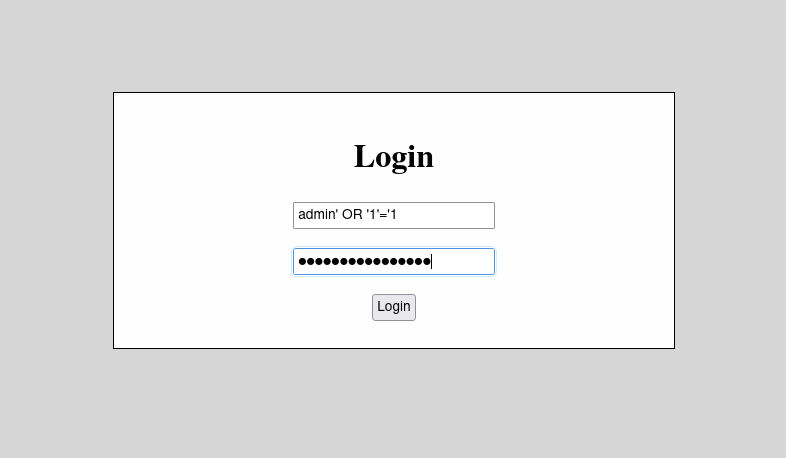
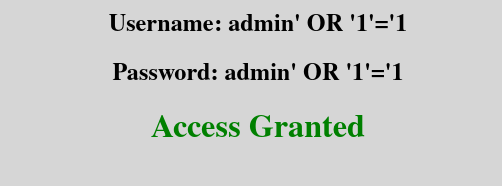
And, Ladies and Gentil men, as I totally expected, It worked. (Not talking about the SQL injection, I’m talking about the code I wrote.)
Since I had finished writing Part #2, you can read it here.
You can try the sql injection yourself here /* TODO: Create Try it yourself server SOON */
READ THE SOURCE CODE ON GITHUB
Sources:-
[SimpliLearn]: definition of SQL
And as A Great person once said
Bye
Almost everyone said this
~ViloDium


[…] you continue to read, I suggest you read [Part-1] first, so you understand the […]
LikeLike